Essential
Images, identification and notes, with fewer sections.

Explore the features
From the first photograph to research, from bibliographic references to documents. Discover how IRIDARIA supports the work on your collection in one connected archive.
Explore the featuresWatch the app in action
The app interface is shown in Italian.
IRIDARIA
Every object has a story. These tools help you document it, find it and explore it further.
Bring objects together and browse your collection through organised records.
02Keep images alongside descriptive data, so documentation stays connected to the object.
03Each category has its own fields. Use filters to find your way through the archive.
04Link books, catalogues and references to the objects they document.
05Explore lots in the auction archive and compare relevant references.
06Use semantic search alongside text search and review suggested information.
07Prepare inventories, object records, custom reports and tearsheets from the report centre.
08Organise roles and permissions for the people working on the collection.
IRIDARIA
Start with a preset and personalise it: modules, cockpit and interface density adapt to your collection.
Images, identification and notes, with fewer sections.
Locations, provenance, acquisitions, values and markets.
Insurance, condition, restoration, loans and movements.
Advanced cataloguing, QR inventory checks and custom fields.
Record where an object is kept and document movements between locations and spaces.
Organise collection tasks and keep deadlines and reminders within your daily work.
Link policies and coverage to objects, including expiry dates and insurance information.
Follow departure, due dates and return, preserving loan conditions and documentation.
Start an inventory round, check objects using QR codes where applicable and preserve the verification record.
Document condition, interventions and professional information associated with the object.
Explore the composition of your collection and the indicators available for its categories.
Choose the information to keep in view and configure your working dashboard.
Activate relevant modules and adapt sections and fields to the categories you manage.
Connect an object’s history to events, sources and financial data. Extensions for costs and lifecycle are undergoing pre-beta verification.
Prepare views containing selected data and manage access and shared links according to permissions.
Connect an object to its passport and QR code, choosing the information to make available.
Capture voice notes linked to objects. Transcription and voice workflows are included in pre-beta testing.
Export CSV and JSON; use imports to update existing records and dedicated workflows for books and reference records. Bulk creation of new objects is not yet complete.
Start with a video of a room, display case or group of objects. Review suggested candidates, merge or discard them and begin drafts: no record is created without your review.
Use a photograph to find similar objects and auction lots. Availability and coverage depend on the device and image index.
Bring information from a supported page into guided review before saving it to a record.
Review information for completeness and consistency and check possible duplicates in the archive.
Protect app access with biometric unlocking on compatible devices.
Backup and restoration are managed by the service, rather than an in-app button. Exports let you take your data with you; displaying backup status in the app is still planned.
A protected local archive, drafts and synchronisation are part of the pre-beta programme. User activation is still being prepared.
Contextual help, collection choices at first launch, and options for larger text, contrast and light or dark themes. Screen reader and real-device checks form part of beta validation.
IRIDARIA · In development
The IRIDARIA vision also includes these features in development. Request access to follow their progress and contribute through the way you collect.
In development· Follow makers, categories and objects of interest through dedicated watches. Scheduled monitoring, sources and notifications are being prepared.
In development· Ask your collection a question by voice and listen to a response. Questions are reviewed before sending, and voice is explicitly activated. This workflow will be validated during the beta.
In development· Adapt cataloguing to your collection with templates, fields and consistent terminology. Customisation options will expand during the beta.
In development· Complement object values with a view of acquisition, conservation, insurance and management costs. Lifecycle summaries are in development.
In development· A dedicated workflow for requesting a copy of your data or its deletion. Procedures will be completed and validated before the beta opens.
Inventory
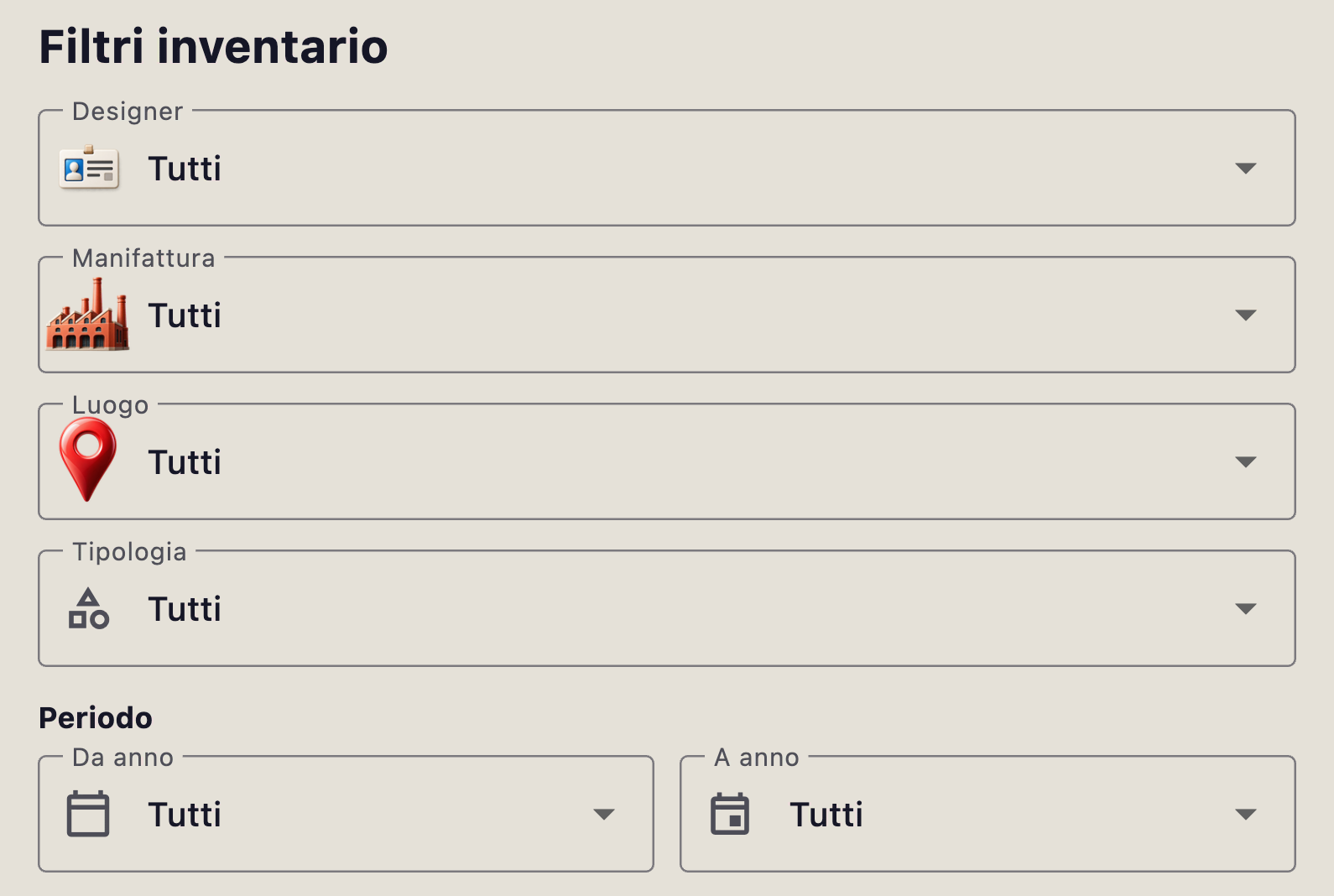
Paintings, books, ceramics, furniture, art and glass share one archive. Categories, photographs and descriptive fields preserve each object’s identity. Filters help you move from the wider view to what you need.
Library and sources
Bibliography and records work together. For books, language, pages and volumes belong in the description; links bring the research context back to the objects.

Reports and documents
The report centre offers different paths: the full collection, a category, a photographic inventory or a single object record. Choose a document to suit the work you are doing.
Reports, exports and collaboration workflows will be tested during the beta.
Roles and permissions
Roles and permissions help define shared work. The interface distinguishes the people working on the archive and their authorisations.
Auctions and comparables · Assisted research
Markets and research add context to a record. Browse relevant lots, preserve sources and review assisted research results. You stay in control of the suggestions.
Explore lots in the auction archive and compare relevant references.
From your object to the market →Use semantic search alongside text search and review suggested information.
Comparables support analysis and do not replace an appraisal. Research suggestions need verification.
Watch the app in action
Explore features through real objects, sources and interfaces. Choose a video and start playback.
The app interface is shown in Italian.
Different categories, one archive.
Connections between objects and collections.
Bibliographic references in research.
An object in the context of auctions.
Documentation and access for shared work.
IRIDARIA
Five details from the real interface. Scroll through the gallery and open a screen to enlarge it.
The app interface is shown in Italian.


Feature availability depends on the beta build, enabled modules and device. Workflows marked as under verification will be tested before opening access.
Tell us what you collect and how you work. We are preparing access to the private beta.
Request early access